What it is
Overview
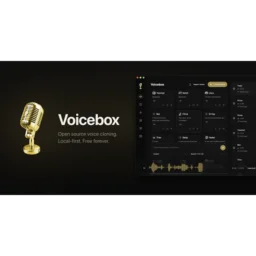
A desktop voice cloning app that generates speech from 3-second audio samples without internet connection or subscription fees. Voicebox runs seven different text-to-speech engines locally on your machine, downloading models as needed. The 412K monthly visitors are mostly content creators and podcasters who want voice synthesis without per-minute API costs or cloud dependency.
At a glance
Usability & Quality overview
Best for
- local-first voice cloning
- offline TTS and dictation
- users who want no per-character fees
Watch out for
- setup and performance depend on local hardware
- docs suggest GPU and model-download friction
Real product, not a wrapperIndependent product
Voicebox offers genuine innovation with offline voice cloning using 7 different TTS engines, eliminating ongoing API costs. The DAW-style timeline interface for voice editing goes well beyond simple text-to-speech wrappers.
Strong evidenceQuality score
Voicebox A local-first AI voice studio for cloning, TTS, and dictation, running entirely on your machine.
This score is our editorial judgment, computed automatically from the sources, weights, and dates shown above. It reflects the data we could verify as of August 4, 2026, not a guarantee or statement of fact about Voicebox. Third-party ratings and quotes belong to their original platforms and authors. Thin data lowers our confidence label, and we say so instead of guessing. Work on Voicebox? Dispute any datapoint and we will review it, publish your response, and correct verified errors.
Plans
Pricing
How free is free?
Genuinely free
Full app free forever, runs locally with no cloud dependencies
What you get for free
- Full app functionality with no account required
- Voice cloning across every TTS engine
- Dictation and capture features
- MCP integration included
- Unlimited local generations
- 100% open source software
- Runs entirely on your machine (no cloud required)
Behind the paywall
- Backup and sync across devicesCloud ($12/year)
- End-to-end encrypted storage (25GB)Cloud ($12/year)
- 30-day version historyCloud ($12/year)
- 250GB encrypted storage and unlimited devicesStudio ($48/year)
- 1-year version history and priority supportStudio ($48/year)
Community feedback
Aggregated reviews
Ratings and quoted comments below are aggregated from third-party sources and reflect those users' views, not SearchTools.ai's.
What reviewers talk about
themes inside the Sentiment pillar — not score ingredients
52Output Quality17 mentions
“Dude this looks sick, finally something that doesn't require me to mess around with conda environments for 3 hours just to clone my voice lmao The DAW timeline thing is genius btw, been wanting something like that for making fake podcasts with my friends' voices”
“I just tested the cloning. It doesn't seem to work properly. The app crashed multiple times trying to download the "cloning" model After relaunching the app it started working again, but the cloned voice just produces one fragment of a sentence out of the file I provided for training. The prompt text is being ignored / never used to create the preview.”
“Did something break with voice cloning in the newer releases? I bought this app a fee months ago and at the time I cloned a voice using short audio clip and once it sounded correct, I saved it. Using that voice for TTS is pretty consistent, even now. Flash forward to yesterday and I trained a few voices on clips ranging from 10 to 20 seconds and once I got the voice sounding good enough, I saved it. Trying to use any of the voices I cloned yesterday is extremely inconsistent to the point where m”
“An AI application that doesn't require dealing with python and installs from a single executable? A clean and modern UI instead of a local-hosted web page abomination? An app that downloads all the dependencies and models automatically instead of just giving a link to the homepage on Huggingface? Hell yes, a proper end-user AI application for a change. Downloaded it, installed it and cloned a voice from an MP3 without even needing to look at the documentation. And it worked. Still need to try ou”
13Reliabilitythin data · 9 mentions
“Yeah, I tested it with various voices, it works really well, even without transcription (as I missed this step at the beginning), with an intel processor (no NVIDIA) it took just about 2 or 3 minutes to generate 2 lines; you can generate several pages and come back later, it automatically starts when it's done, you suddenly hear the voice when you don't expect it anymore, lol.”
“I can see another user reported the same issue I am having on Github - that models cannot be downloaded. It just throws errors. I think the issue might be the folders for holding those models are not created when installing/setting up On Github: https://github.com/jamiepine/voicebox/issues/4”
“I just tested the cloning. It doesn't seem to work properly. The app crashed multiple times trying to download the "cloning" model After relaunching the app it started working again, but the cloned voice just produces one fragment of a sentence out of the file I provided for training. The prompt text is being ignored / never used to create the preview.”
“Did something break with voice cloning in the newer releases? I bought this app a fee months ago and at the time I cloned a voice using short audio clip and once it sounded correct, I saved it. Using that voice for TTS is pretty consistent, even now. Flash forward to yesterday and I trained a few voices on clips ranging from 10 to 20 seconds and once I got the voice sounding good enough, I saved it. Trying to use any of the voices I cloned yesterday is extremely inconsistent to the point where m”
75Ease of Usethin data · 9 mentions
“An AI application that doesn't require dealing with python and installs from a single executable? A clean and modern UI instead of a local-hosted web page abomination? An app that downloads all the dependencies and models automatically instead of just giving a link to the homepage on Huggingface? Hell yes, a proper end-user AI application for a change. Downloaded it, installed it and cloned a voice from an MP3 without even needing to look at the documentation. And it worked. Still need to try ou”
“a little preparation would have improved the experience for the community enormously”
“Dude this looks sick, finally something that doesn't require me to mess around with conda environments for 3 hours just to clone my voice lmao The DAW timeline thing is genius btw, been wanting something like that for making fake podcasts with my friends' voices”
“Thanks Thorsten for the video. Installing Qwen3-TTS on a Windows system seems to be quite difficult per se. A directly installable application solves the problem. I hope they come up with the possibility to edit the time intervals directly in the conversation module, maybe with another visible sound track visible (for voiceovers).”
Watch & learn
Video content
YouTube YOUTUBE5.9K views
How to Generate and Clone Any Voice for FREE (No Subscription)
casestudio322 months ago
 YOUTUBE3.4K views
Free Voice Cloning Beats ElevenLabs? AI Live Deepfakes, Seedance 2.5 & Qwen-Image 3.0 (UPDATES)
cinetiqstudios2 months ago
La clonación de voz por IA acaba de volverse gratuita, ilimitada y privada. Voicebox es una plataforma de código abierto que permite generar voces realistas y clonar la tuya en cuestión de segundos, directamente desde tu propio equipo. Sin depender de créditos, suscripciones ni subir tus datos a servicios externos. ¿Confiarías más en una IA de voz si funciona completamente en local? #Voicebox #ClonacionDeVoz #InteligenciaArtificial #CodigoAbierto
alejavirivera2 months ago
 YOUTUBE641 views
VOICEBOX: THE FREE OPEN-SOURCE ELEVENLABS ALTERNATIVE (CLONE YOUR VOICE LOCALLY)
Signalcoders2 months ago
استنسخ صوتك محليًا بالعربي وبدون API أو سيرفرات خارجية. #ai #voicebox #opensource
salmanalfares02 months ago
You can now clone voices locally for free 🎙️ Voicebox is an open-source project that lets you generate speech, clone voices, and even build voice-powered AI agents directly on your machine. No subscriptions. No cloud. Just full control over your own voice AI. A powerful free alternative to traditional voice tools. #Voicebox #VoiceAI #AI #ArtificialIntelligence #TextToSpeech
future.with.ai985 months ago
Capabilities
Key features
Voice Cloning
Replicates a specific voice from samples to generate new spoken audio
Text to Speech
Turns written text into natural-sounding spoken audio and voiceovers
Voice Changer
Transforms your voice into different characters, tones, and styles in real time
The honest take
What users love & flag
Distinct themes surfaced across user reviews — each grounded in real review text, ranked by how often it comes up.
Questions
Frequently asked
What is Voicebox?
Voicebox is a voice cloning and text-to-speech tool that runs entirely on your local machine. It can clone any voice from just 3 seconds of audio and generate speech across 7 different TTS engines without requiring cloud services or internet connectivity.
Is Voicebox free to use?
Yes, the core Voicebox application is completely free and open-source under the MIT license. You can clone voices, generate unlimited audio locally, and use all TTS engines without any subscription fees or per-character costs. Optional cloud backup services are planned for $12 annually.
How much audio do I need to clone a voice?
Voicebox can clone voices from as little as 3 seconds of audio. You can upload audio files, record directly from your microphone, or capture system audio from any application to create voice profiles.
What TTS engines does Voicebox support?
Voicebox includes 7 different TTS engines: Qwen3-TTS, Chatterbox, Chatterbox Turbo, LuxTTS, Qwen CustomVoice, TADA, and Kokoro. Each engine is optimized for different use cases, from ultra-fast CPU inference to high-quality multilingual output with natural prosody control.
Does Voicebox work offline?
Yes, Voicebox operates completely offline with no cloud dependencies or internet connection required for basic functionality. Everything runs locally on your machine, eliminating privacy concerns and ensuring you're not dependent on external services.
Can I use Voicebox for dictation?
Yes, Voicebox includes a dictation feature that lets you speak into any application using customizable keyboard shortcuts. It uses Whisper-powered transcription with local LLM refinement to clean up speech artifacts and produce formatted text.
What is the Stories Editor feature?
The Stories Editor is a timeline-based editing tool that enables multi-voice narrative creation. You can create stories using different cloned voices with audio effects, making it useful for content creators working on podcasts, audiobooks, or other narrative content.
Can developers integrate Voicebox into their applications?
Yes, Voicebox includes a built-in REST API running on localhost port 17493. Developers can integrate voice generation into custom applications without API keys, rate limits, or external dependencies. It also supports MCP integration for AI agents like Claude.
What hardware acceleration does Voicebox support?
Voicebox supports multiple hardware acceleration options including Metal, CUDA, ROCm, Intel Arc, and DirectML. This ensures optimal performance across different computer configurations for faster voice generation.
How many languages does Voicebox support?
Voicebox supports 99 languages through Whisper models of varying sizes. This makes it suitable for multilingual voice cloning and speech generation across a wide range of languages and regions.
Compare Voicebox
Compare with another toolMore Like This
