Retouch4me
What it is
Overview
A collection of AI retouching plugins that automate skin smoothing, blemish removal, and dodge-and-burn edits while preserving natural texture. Built specifically for professional photographers and retouchers who need to process portrait work at volume. The plugins integrate directly into Photoshop and video editing software as OFX modules. Users skew toward wedding photographers, portrait studios, and freelance retouchers handling client work with tight deadlines.
At a glance
Usability & Quality overview
Best for
- Portrait photographers seeking to drastically reduce editing time
- Professionals who need specific retouching tools without full suite bloat
- Photographers prioritizing natural skin texture preservation
Watch out for
- High cost: essential workflow requires 4 tools (~$500 total) with no bundle discounts
- Each plugin sold separately rather than as suite, may seem bloated for budget-conscious users
- Cloud credit system new; traditional plugin purchase still primary model
Real product, not a wrapperIndependent product
The tool offers specialized AI algorithms specifically trained for portrait retouching that preserve natural skin texture - something general AI models can't replicate. It integrates directly into professional Photoshop workflows and automates complex retouching tasks that would otherwise require manual expertise.
Strong evidenceQuality score
Retouch4me AI retouching plugins that dramatically speed up portrait editing while preserving natural skin texture, but expensive per-plugin at $124-$150 each
This score is our editorial judgment, computed automatically from the sources, weights, and dates shown above. It reflects the data we could verify as of July 15, 2026, not a guarantee or statement of fact about Retouch4me. Third-party ratings and quotes belong to their original platforms and authors. Thin data lowers our confidence label, and we say so instead of guessing. Work on Retouch4me? Dispute any datapoint and we will review it, publish your response, and correct verified errors.
Plans
Pricing
How free is free?
Trial only
20 free retouches trial; plugins start at $20/mo or $124-145 one-time
What you get for free
- 20 free retouches (trial)
- 2 free plugins: Frequency Separation and Color Match Free with LUTs
- No credit card required for trial
Behind the paywall
- Ongoing retouching credits (200+/month)Start ($20/mo)
- Cloud storage (20+ GB)Start ($20/mo)
- Culling credits (9,000+/month)Start ($20/mo)
- Full AI plugin collection (15 plugins)Photo Plugins ($145 one-time)
- Video retouching plugins (5 plugins)Video Plugins ($124 one-time)
Community feedback
Aggregated reviews
Ratings and quoted comments below are aggregated from third-party sources and reflect those users' views, not SearchTools.ai's.
What reviewers talk about
themes inside the Sentiment pillar — not score ingredients
65Output Quality19 mentions
“One year ago I wrote a huge article about retouching via A.I. with a lot of examples, and now I updated it. Article is in polish, but google translate did good job, so here is translated version: https://t.voland.studio/r4mblogeng (and in this case photo examples are more importa”
“You can use it with photoshop too. Duplicate layer, filter -> retouch4me -> dodge and burn, or use their panel and cloud thing. After the pop-up it applies it on the layer as is, or you can change it to a soft light layer. Honestly, I wouldn't go for it at this point unless they ”
“That link got somehow 'rearranged' but if anyone is reading this, click here. This is what OP says can be done with a single click AI retouch, and it's pretty amazing. AI "zit detection" is nearly perfect. Here is the english translation of the article, it's good stuff: https://t”
“Hey everyone, I'm curious about Retouch4Me's OFX plugins, especially the Heal and Dodge & Burn plugins. I'm sure these tools won't replace a proper retouch, but on projects with tight budgets\deadlines this could be great. I've used their tools for Photoshop and my experience has”
25Value & Pricingthin data · 5 mentions
“I use it for photo and video, they are good. The OFX ones are very heavy on pc but gives good result. The problem with this company is their licensing model and they suck at this. Its not subscription nor perpetual. They will give like 6 keys. A key is locked to a system then if ”
“I have dodge and burn for quite some time, it seems ok for evening out skin tones, you can dial it back if you think too strong. In a weak moment I bought portrait volumes, but pretty unhappy with that. The program edits in JPEG and sRGB which may not be ideal. Overall quite expe”
“Retouch for now is too expensive for my usage. I love it but just don't need it enough to warrant the cost. I have seen some things about credits on the website, and I presume it's for cloud pay per use or something, I have my free credits but I can't work out how to access and u”
“I use it all the time, you get all the plugins and pay per image. Works brilliantly. Download the Photoshop panel and install it, that's it. https://retouch4.me/retouch4mepanel”
49Reliabilitythin data · 5 mentions
“Retouch4me freezes, sometimes Photoshop crashes and often everything freezes. It only happens with some photos, other photos work normally. I still haven't discovered why Retouch4me crashes on some different photos, even though they are in the same Jpeg format. Anyone having prob”
“Here are all results of the benchmark: http://thomasvoland.com/retouch4me. I have created an action automating test in Photoshop with Retouch4me DodgeBurn plugin. Results are very useful for photographers and retouchers to know which GPU they should buy for fast automatic retouch”
“Hey everyone, I'm curious about Retouch4Me's OFX plugins, especially the Heal and Dodge & Burn plugins. I'm sure these tools won't replace a proper retouch, but on projects with tight budgets\deadlines this could be great. I've used their tools for Photoshop and my experience has”
“Everything is working fine. Can you tell us the country you are trying to log into?”
35Ease of Usethin data · 9 mentions
“I use it all the time, you get all the plugins and pay per image. Works brilliantly. Download the Photoshop panel and install it, that's it. https://retouch4.me/retouch4mepanel”
“Review Title: Avoid this Bloatware – Hostile Support & Endless Upselling Rating: ★☆☆☆☆ I have never experienced such a combination of poor software design and outright hostile customer service. The Software: Even as a paid user, you are never left in peace. The product is essenti”
“I haven't been able to figure out the batch processing and still having to do images one by one. I edit the photos in Lightroom then select all, right click to "Edit in photoshop" it opens them all as individual tabs in PS and then I have to apply R4M to each photo. there as to b”
“Retouch for now is too expensive for my usage. I love it but just don't need it enough to warrant the cost. I have seen some things about credits on the website, and I presume it's for cloud pay per use or something, I have my free credits but I can't work out how to access and u”
Watch & learn
Video content
YouTube YOUTUBE734 views
📸 Editing hundreds of photos with just one click – is it actually effective?
dannynguyendstudiophotofilm3 months ago
 YOUTUBE1.8K views
The BEST AI Portrait Retouching Plugins for Photoshop | Stray Hairs Fixed
EliInfante3 months ago
 YOUTUBE499 views
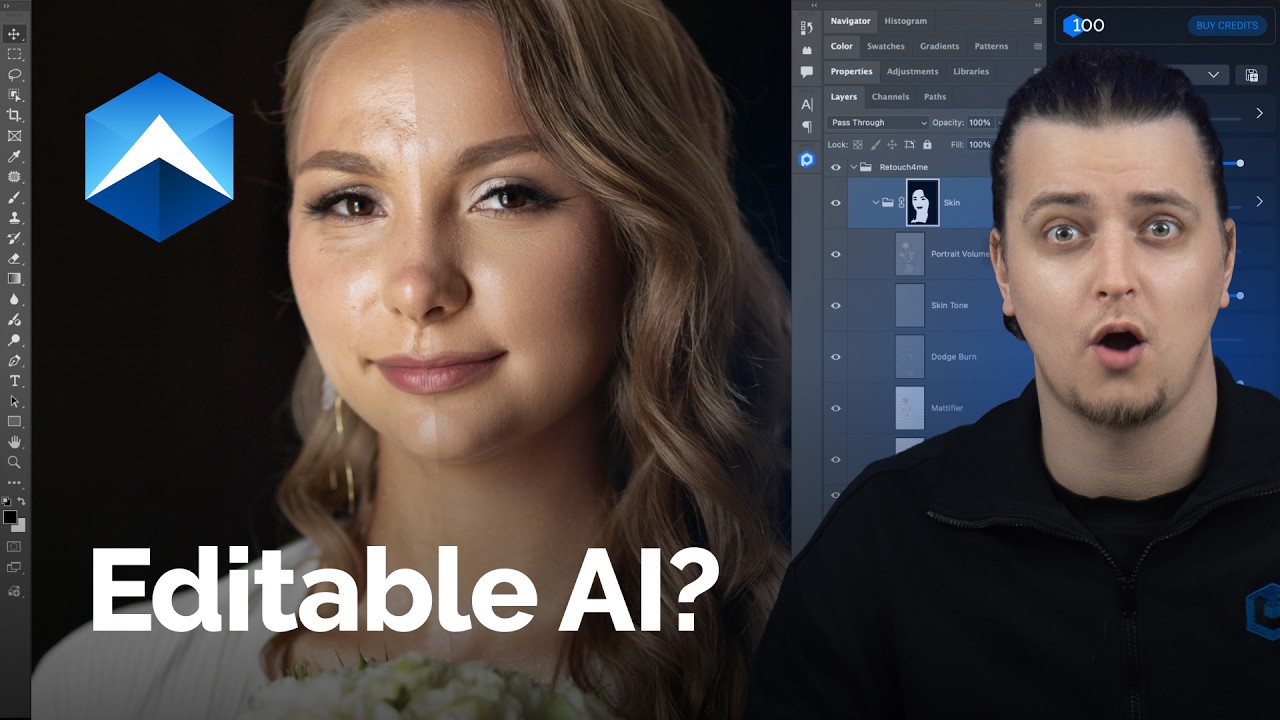
Retouch4me Apex: How to use Layers & Actions
retouch4me3 months ago
 YOUTUBE262 views
I Can't Believe Skin Retouching Is This Easy | AI-Powered Retouch4me
Usuya-ColorGrading3 months ago
Capabilities
Key features
Photo & Image Editor
Edits and enhances photos by retouching, adjusting, and modifying image content
Photo Enhancer
Sharpens, upscales, and improves photo quality, lighting, and detail automatically
Photography
Creates photorealistic images and styled portraits without a physical camera or shoot
The honest take
What users love & flag
Distinct themes surfaced across 2K reviews from 2 sources — each grounded in real review text, ranked by how often it comes up.
Questions
Frequently asked
What is Retouch4me?
Retouch4me is an AI-powered retouching platform that provides plugins and cloud tools for professional photographers and retouchers. It automates technical editing tasks like skin smoothing, blemish removal, and color correction while preserving natural skin texture. The system integrates directly into Photoshop workflows and offers over 15 specialized plugins designed to reduce editing time by up to 80%.
How much does Retouch4me cost?
Retouch4me offers both subscription and perpetual license options. Monthly subscriptions range from $20 for 200 retouching credits to $90 for 1,500 credits, with cloud storage included. Perpetual plugin licenses start at $145 for photo plugins and $124 for video plugins, allowing unlimited local processing. There's also a free trial with 20 retouches and two completely free plugins available.
What specific retouching tasks can Retouch4me automate?
Retouch4me can automatically remove skin blemishes and defects, smooth skin tone while preserving natural texture, and enhance facial volume and depth in portraits. It also offers specialized tools for whitening teeth, cleaning backgrounds, removing dust or stray hairs, and batch processing large photo collections. The platform includes over 15 specialized plugins covering portrait, wedding, fashion, and e-commerce photography needs.
Does Retouch4me work with Photoshop?
Yes, all Retouch4me plugins integrate directly into Photoshop workflows and maintain full layer control for manual adjustments. This allows photographers to use the AI automation as a starting point while retaining the ability to make custom edits. The plugins are designed to fit seamlessly into existing professional retouching workflows.
What makes Retouch4me different from other AI retouching tools?
Retouch4me differentiates itself by maintaining original skin texture rather than creating an artificial "plastic" appearance common in other AI retouching tools. The plugins are designed by photographers for photographers, focusing on professional-grade results that preserve natural-looking skin. This approach is particularly important for portrait, wedding, and fashion photography where natural appearance is crucial.
Can I try Retouch4me before purchasing?
Yes, Retouch4me offers a free trial with 20 retouches and no credit card required. Additionally, they provide two completely free plugins: Frequency Separation for non-destructive editing and Color Match Free with hundreds of LUTs. This allows you to test the quality and workflow integration before committing to a paid plan.
What's the difference between subscription and perpetual licenses?
Subscription plans ($20-90/month) include cloud processing credits, culling credits, and cloud storage, making them ideal for variable workloads. Perpetual licenses ($124-145 one-time) allow unlimited local processing of the plugins without ongoing fees, better suited for high-volume studios with consistent retouching needs. The perpetual option requires local processing power but eliminates recurring costs.
Does Retouch4me handle batch processing for large photoshoots?
Yes, Retouch4me includes the Arams tool for automatic culling and batch processing of entire photoshoots. Subscription plans include culling credits ranging from 9,000 to 100,000 per month depending on the tier. The Apex tool offers all-in-one retouching with real-time preview, making it efficient for processing multiple images from wedding, event, or commercial shoots.
Compare Retouch4me
Compare with another toolMore Like This
